
Random Masthead Picture

ierna.com

blog

eMac LCD Conversion :: Sunday July 2, 2006

CRTs can hold a charge in the thousands of volts. They act as a capacitor, and can hold this charge for days. Discharge your CRT properly before you begin work in earnest on a project like this.

Digg this article!

Ages ago, I found out it would cost nearly what I paid to fix the analog board in my eMac . Over $500 to repair a refurbished machine I only spent $599 on in the first place was folly, so it sat broken on my floor until last week. But what’s this? Apple announced a warranty repair extension for the eMac when it shows no video! Since it was a refurb, I couldn’t verify against the serial numbers listed on the extension page , so I had to bring it in to the Genius Bar. They told me that my machine didn’t fall in the range. Crap.

Later in the day, we’re at Sam’s Club, and I spot a Samsung 17” monitor for $199, and the plan begins a-brewin’. I’m going to convert the CRT eMac to an LCD, which will allow me to bypass and remove the faulty Analog Board completely.

The eMac is no longer a doorstop, and it only cost my $200 plus a few hours of time. The machine is about 30 pounds lighter, and won’t use as much electricity. Some have asked why I went LCD rather than replacing the CRT with the guts from a 17” monitor. This would have been more complicated — I would have had to remove the analog board still, and added a power supply for the computer. CRT monitors are hotter and heavier. LCD was just a better choice for a machine that didn’t require perfect color. Others have asked if I will change the form factor, making it slimmer. If that were the goal, I should just buy a used iMac, right?

Here’s the general process I took to complete this project, illustrated.

1) Take apart eMac. I don’t have pictures of this step since there is a take-apart manual floating around teh intarweb.

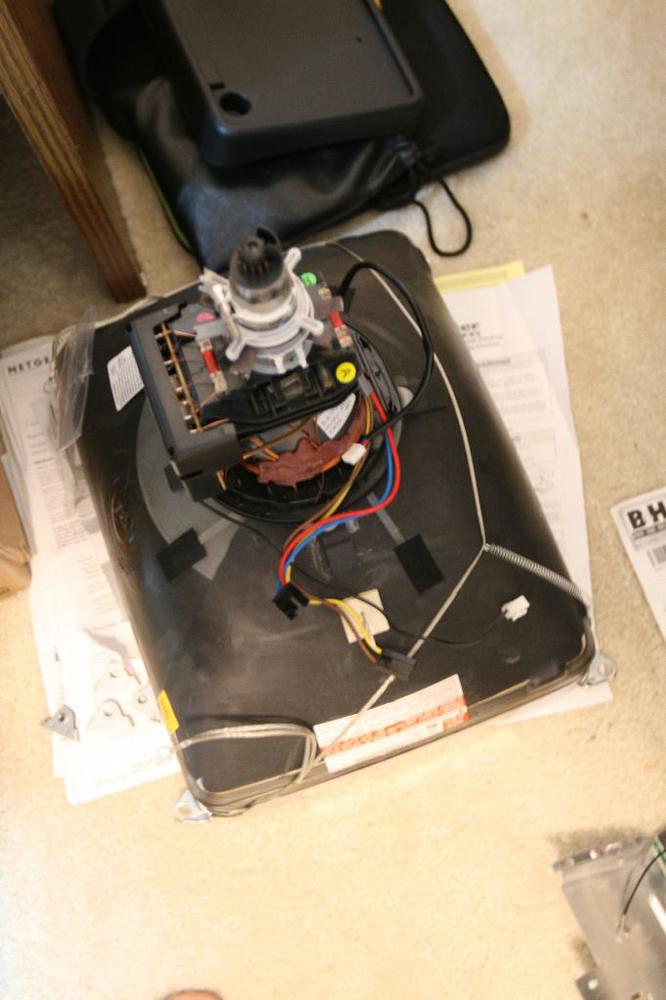
2) Remove Analog Board and CRT:
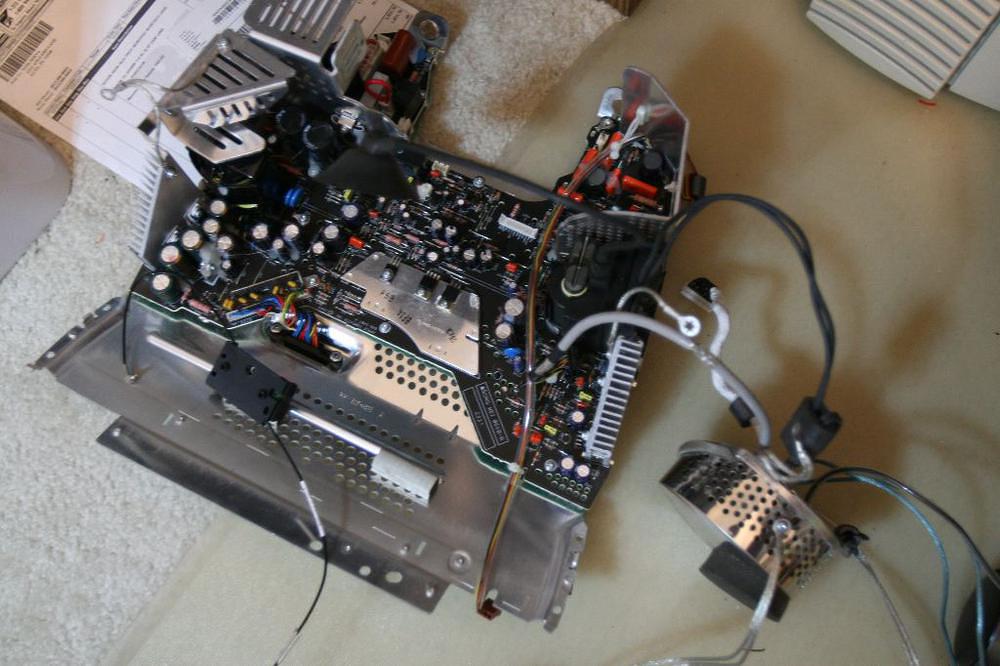
The Broken Analog Board

The CRT

3) Remove everything until the faceplate looks like this:
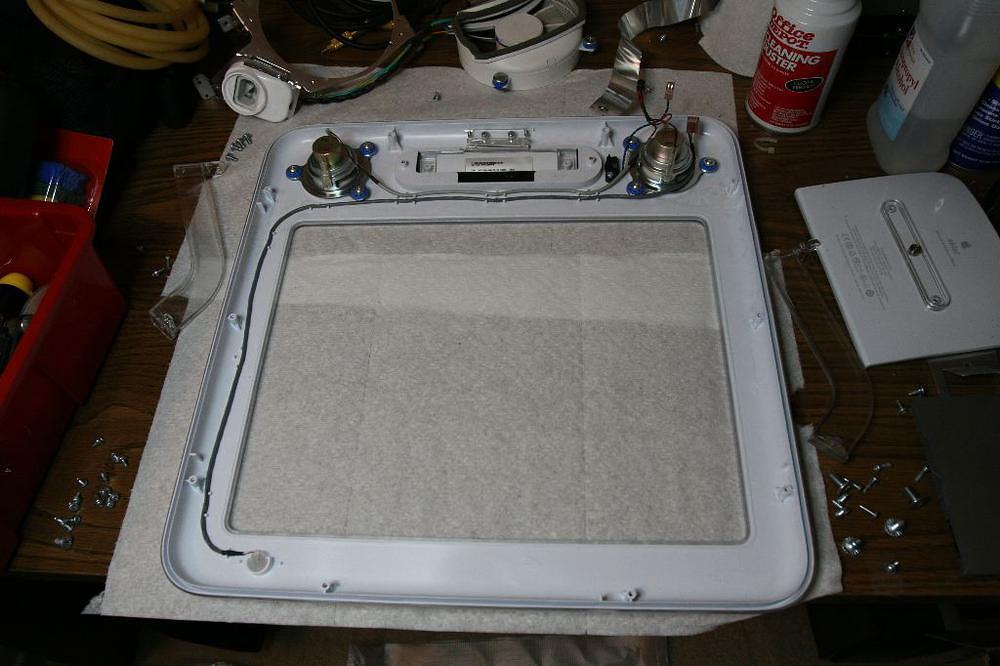
The Faceplate

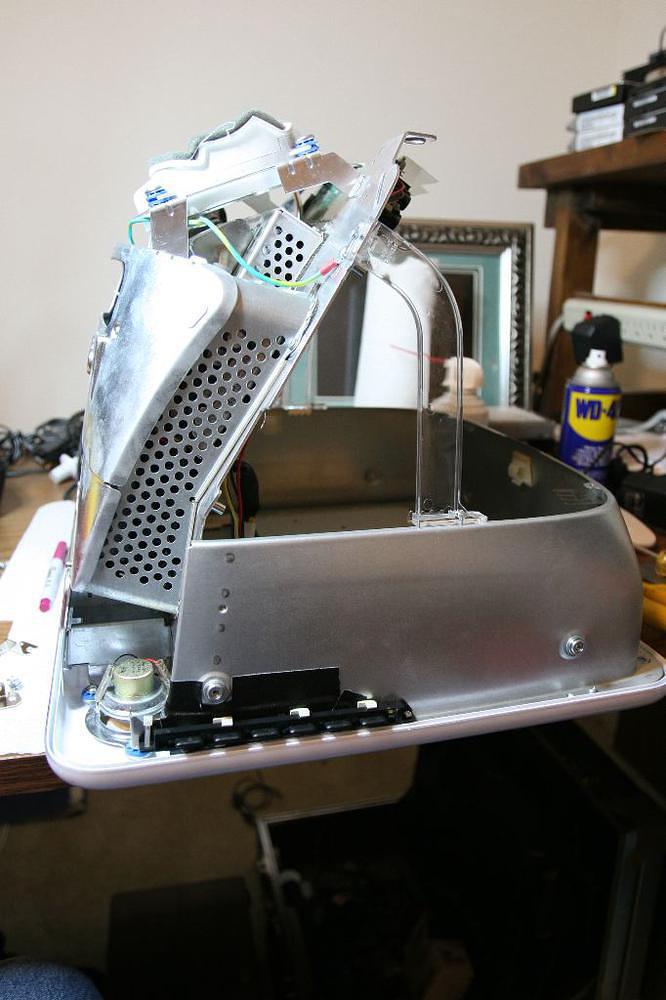
4) Set aside the logic board chassis (with hard and optical drives still connected):
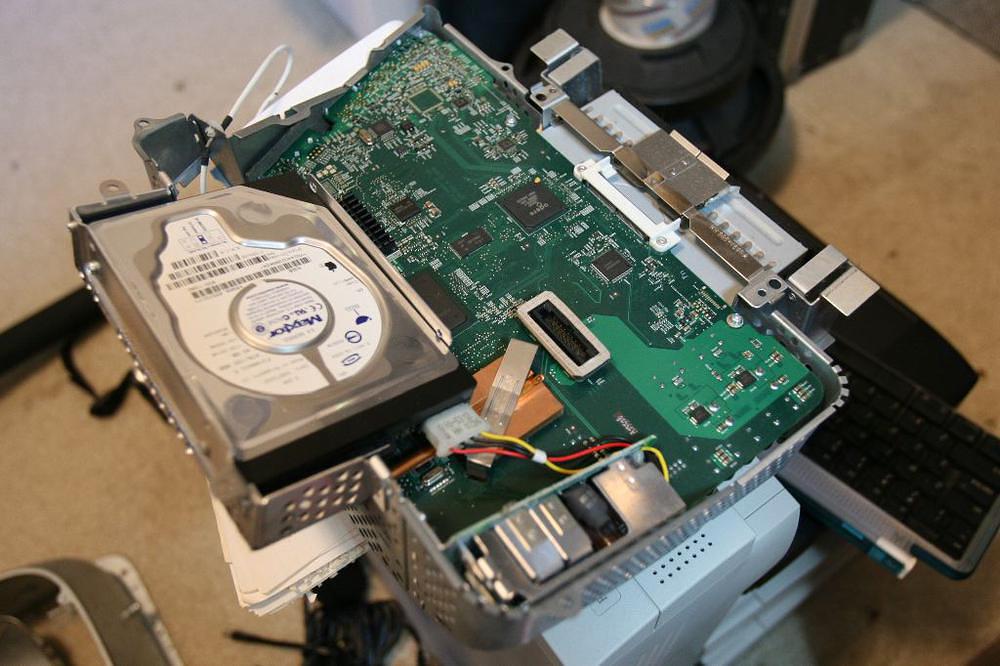
The Logic Board Chassis

5) Prepare the LCD monitor. The one I used was a Samsung SyncMaster 730B:
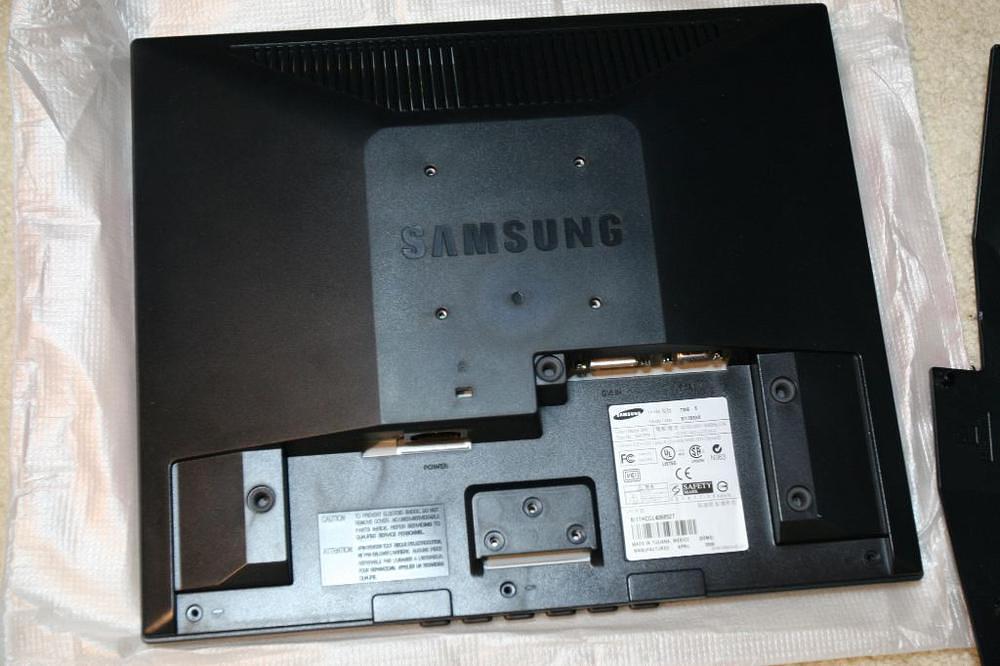
Samsung SyncMaster 730B

6) Trace the new opening on the eMac Faceplate using the bezel taken off the LCD monitor:
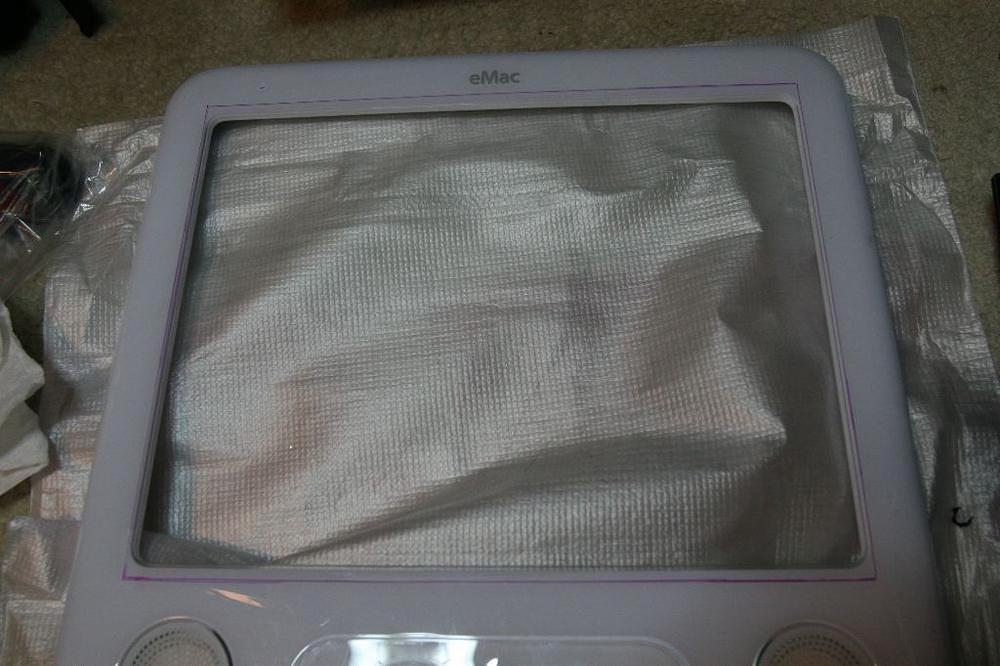
I used Sharpie to mark the hole

7) Cut the opening. I used a jigsaw and a hand sander.

8) Place the LCD guts in the newly-cut opening:
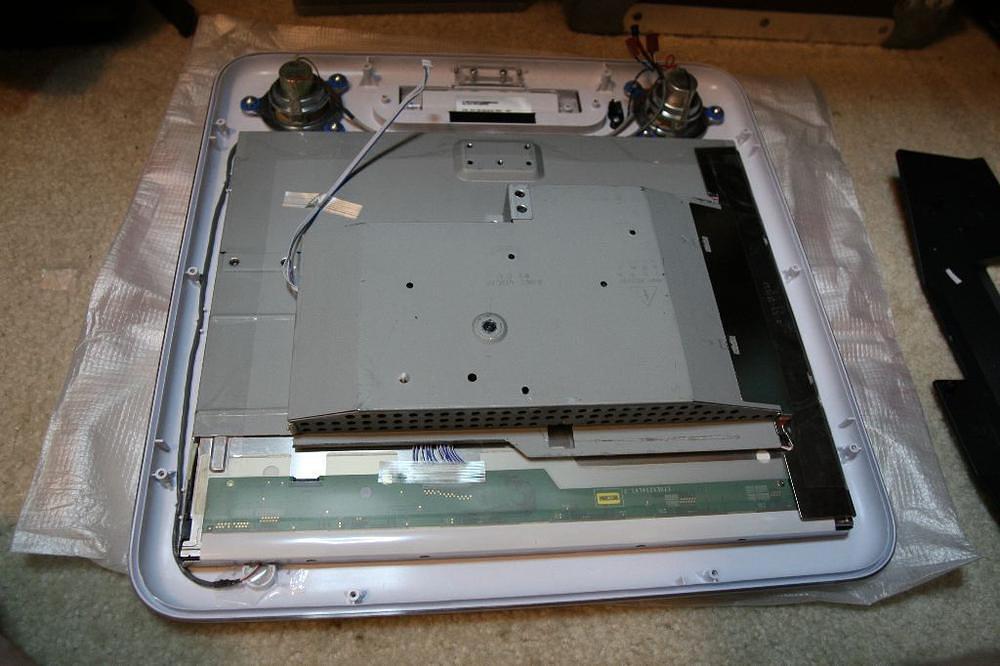
Perfect Fit

9) Affix LCD guts in faceplate. I used packing tape. This is mainly to keep it straight until the CRT cowl is put back in.

10) Replace CRT cowl:
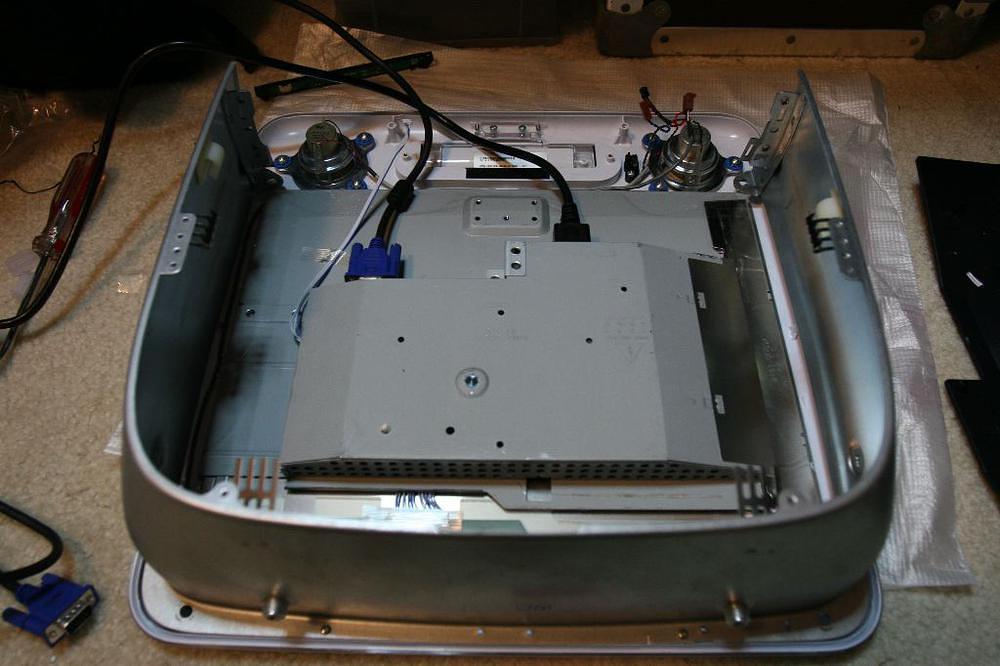
CRT Cowl

The next two steps use Leo Bodnar’s great headless eMac how-to . Without this excellent information, I wouldn’t have been able to complete this project in as little time as it took.

11) Make eMac power connector to hard drive connector:
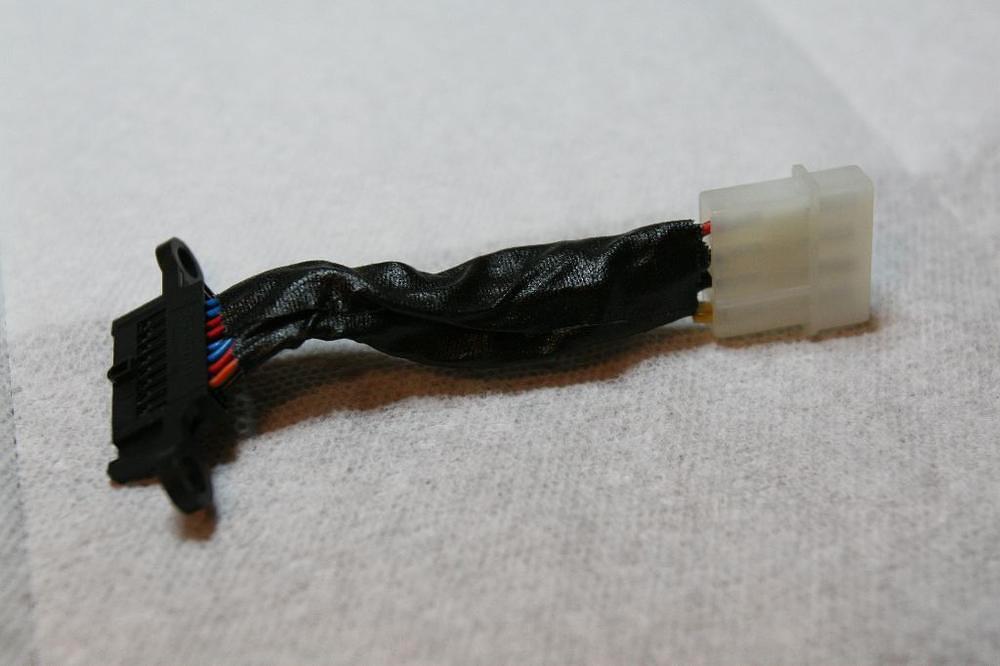
Yeah, that's gaff tape

12) Make eMac video connector to VGA connector:
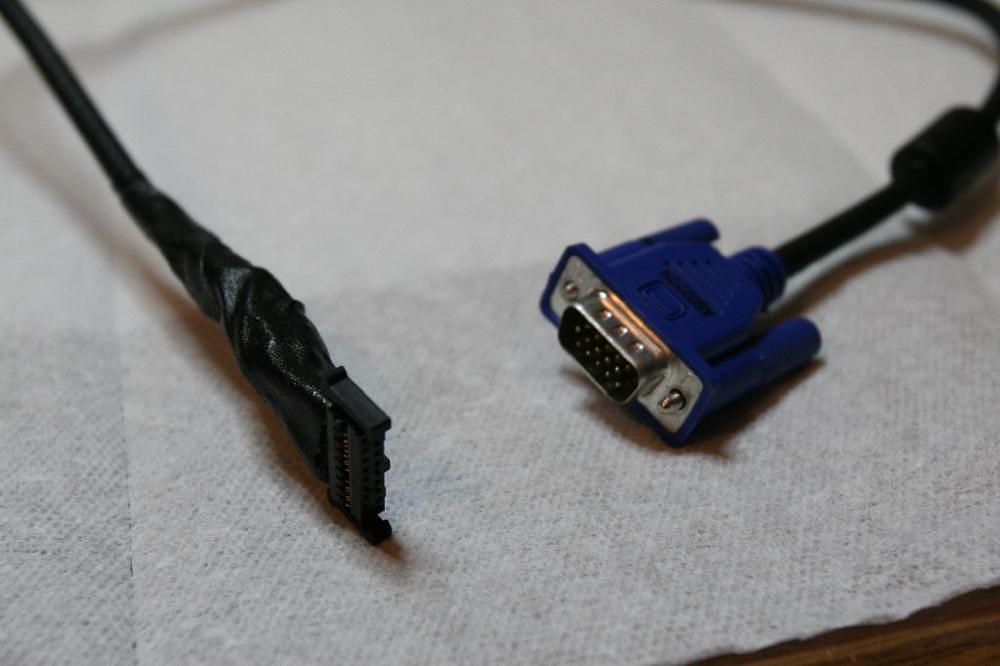
More Gaff

13) Scavenge power supply. This one came from an old SCSI hard drive case. It’s rated for 3A at 12VDC and 3A at 5VDC. It draws a little more than 1A. Since the eMac was originally rated to draw only about 1.5A, this power supply should be more than adequate.
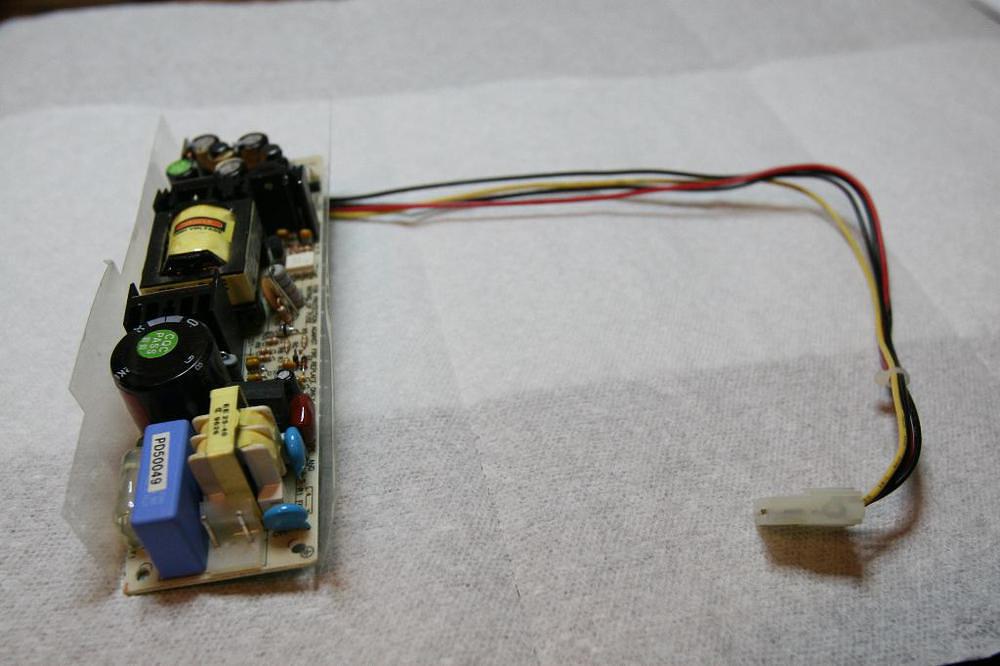
So small compared to the Analog Board it is replacing

14) Solder the IEC end of a power cord for the LCD monitor onto the appropriate pads of the scavenged power supply.

15) Reconnect the eMac frame. It consists of a bottom plane connected to two acrylic struts.

16) Mount the power supply somewhere nice:
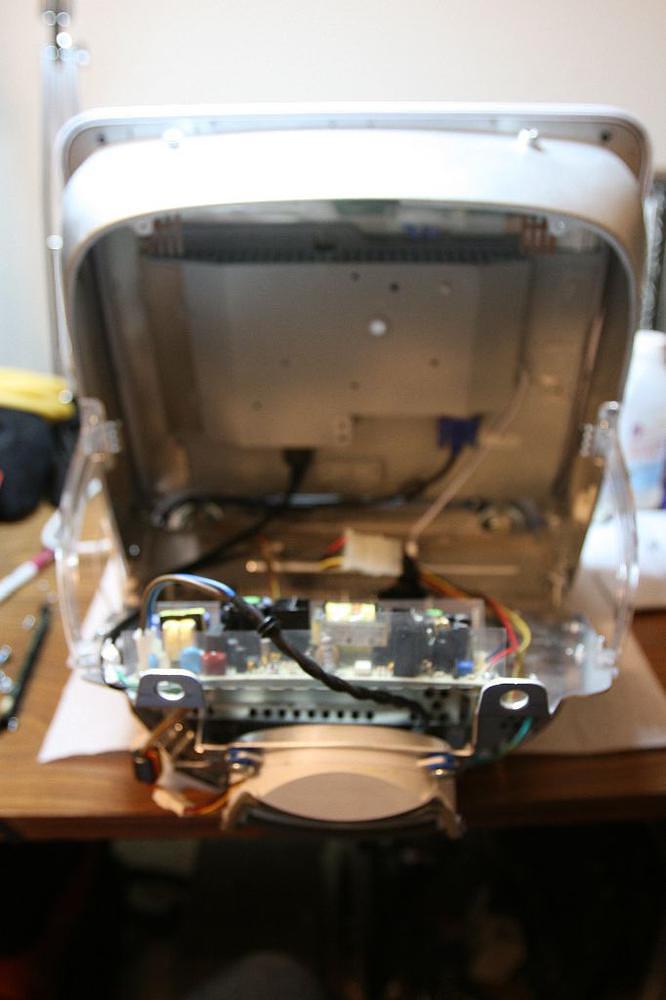
It actually lined up on two posts

17) Plug everything together and test it out:
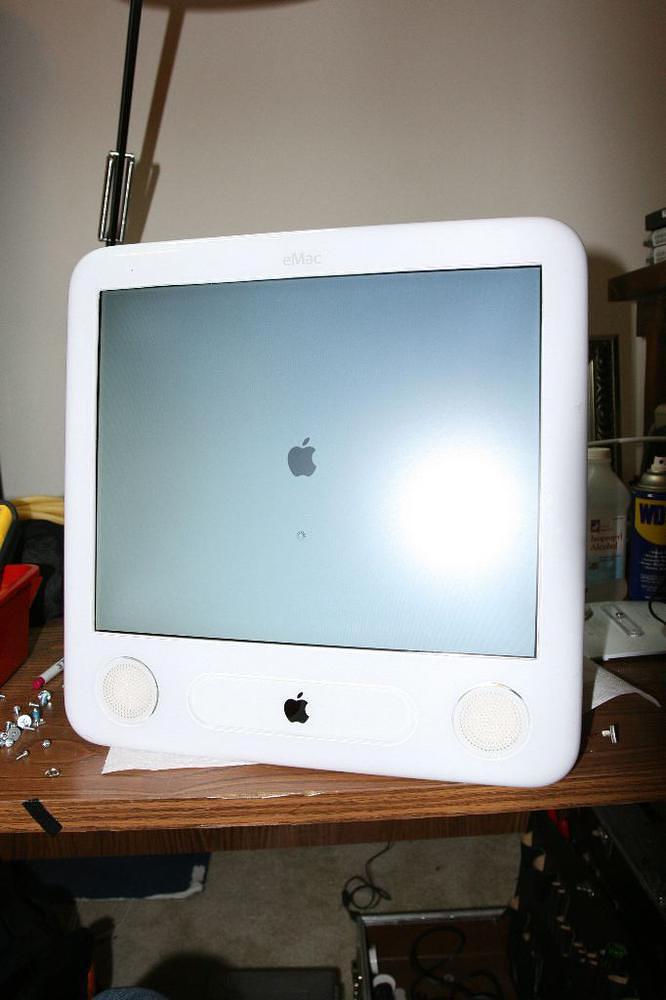
Holy crap, it works

18) Find a place for the LCD monitor controls:
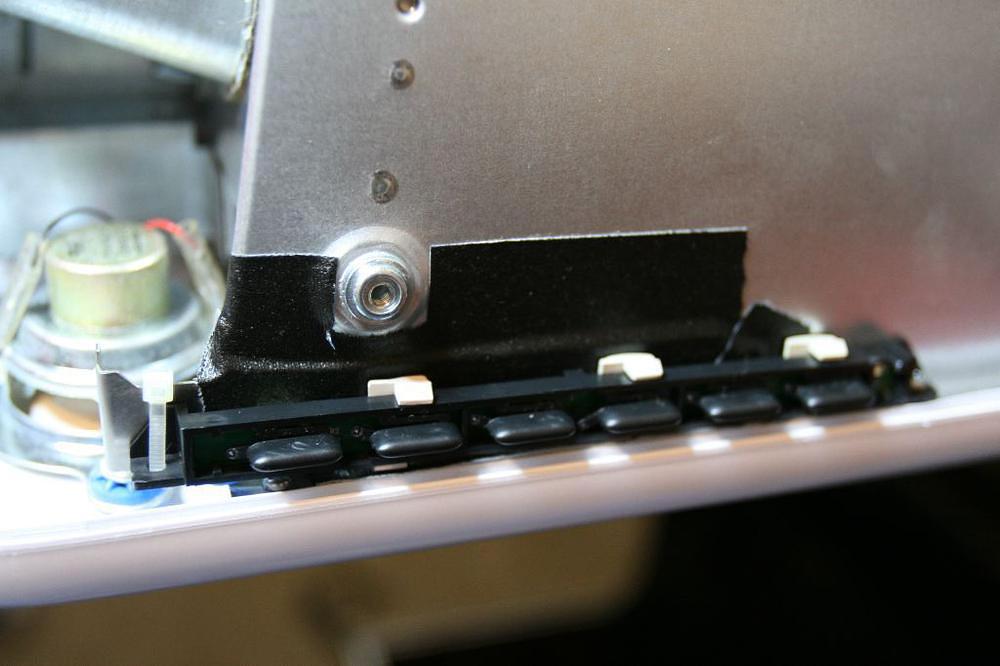
More gaff, and a few other things

Damn there's a lot of room in there now

19) Cut a hole in the outside case for the LCD monitor controls. The controls are required on the outside to turn the monitor on and off, and for size, contrast and other adjustments. Since this monitor doesn’t have a USB interface for OS control of these functions, it was necessary to make them externally accessible.
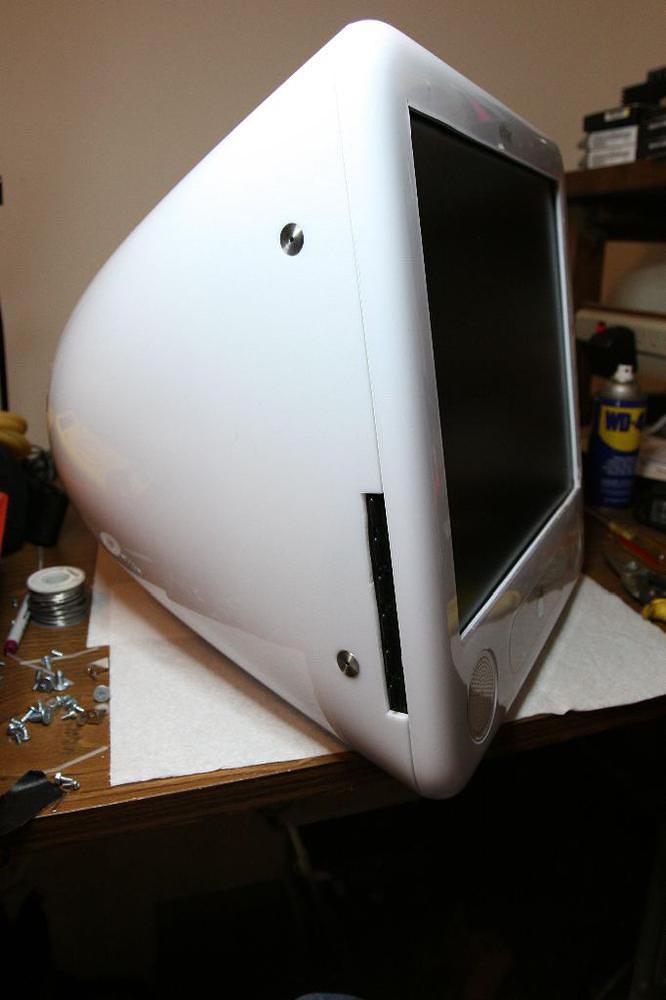
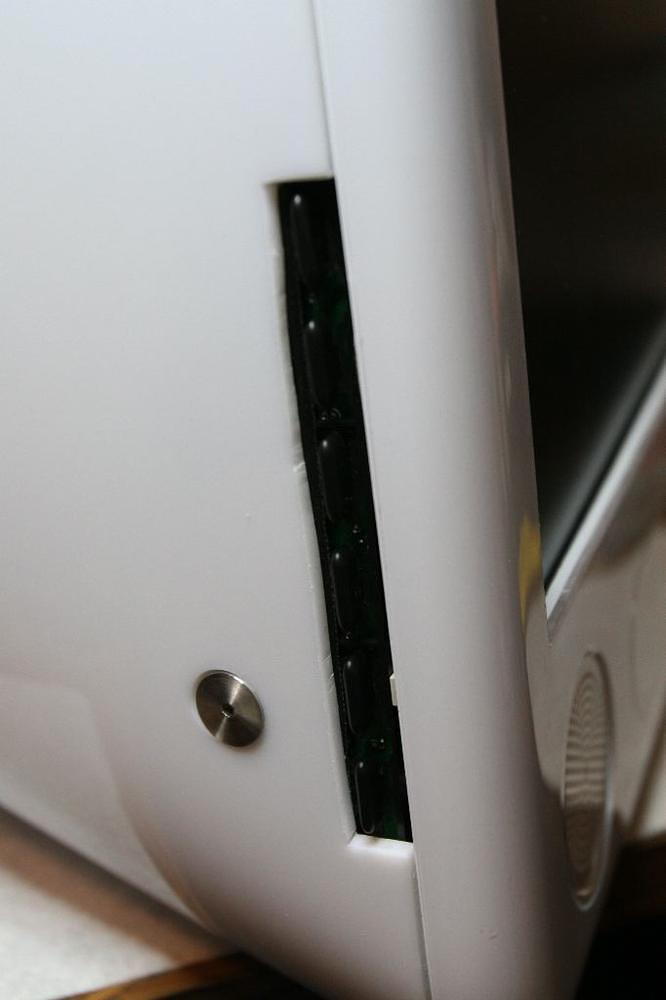
Almost looks stock

A little messy

20) Fasten the case back together.

21) Fini!
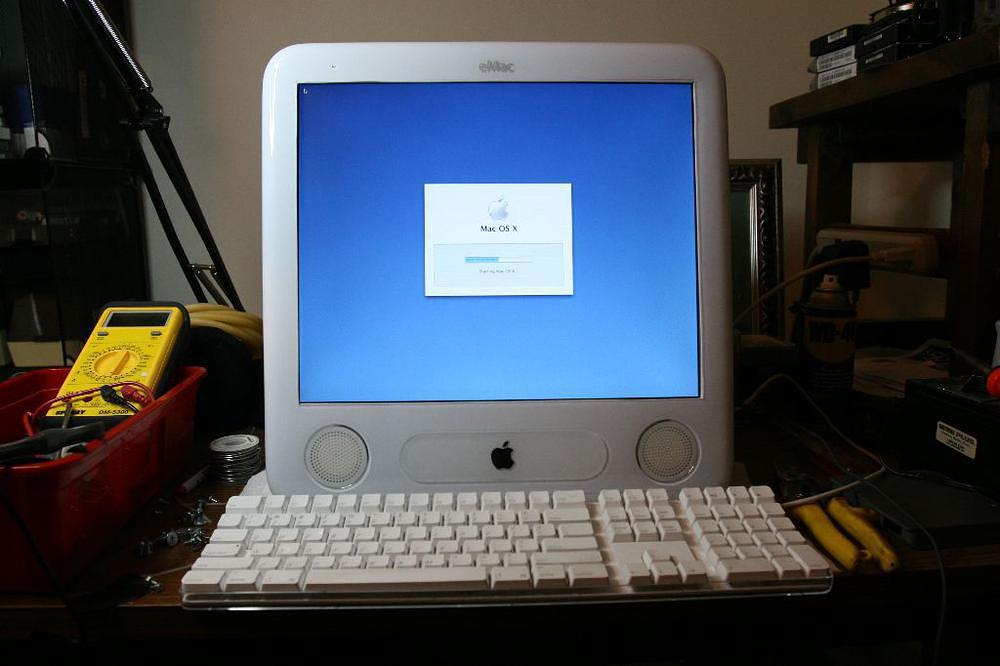
Looking Good

As with any project involving CRT monitors, BE CAREFUL. Discharge the CRT, and dispose of it properly!

Comments

  1. Do you plan on modifying the case to be thinner, as you now have much extra space? A flat-panel eMac would be a cool mod. dscott    07/02/06 21:24:20    #


  2. I like the idea of the extra internal space for extra drives.

    Congratulations on a good-looking result! nmcintyre    07/03/06 00:37:48    #


  3. Looks great!
    I’ll have to try it.
    I have 2 eMac door stops that didn’t fall in the range. Joel T    07/03/06 04:57:37    #


  4. “A flat-panel eMac would be a cool mod.”

    Oh, you mean an iMac? Benji    07/03/06 07:34:35    #


  5. >Oh, you mean an iMac?

    You’re a brilliant one, you are. He’s already got a computer, it just needs video. And your suggestion is to buy an entire second computer instead? Oh yeah, that certainly sounds efficient. Not. Eric    07/03/06 09:39:19    #


  6. Sweet Mod! When the monitor goes out on my eMac at work – I’ll have to do this! Chad Smith    07/03/06 12:50:14    #


  7. You’re losing more detail on an LCD monitor then you would have with a CRT monitor, and it’s still taking up as much space. Nice and clean mod, but a down-grade to say the least. The Dude    07/03/06 14:32:06    #


  8. >Oh, you mean an iMac?

    Ha! Nice. Mikey    07/03/06 14:35:38    #


  9. Instead of reducing the form factor, why not put the unused interior space of your case to good use. e.g. cut slots in it for a rack for CD’s or DVD’s. Or shelving for an iPod docking station or just a niche for notebook and pencil.

    Neat hack. steve poling    07/03/06 17:03:02    #


  10. I think it kicks!

    And for the extra space – why not fill the unit full of vegetable oil and have the coolest running, longest lasting LCD eMac? Superdog    07/04/06 14:41:10    #


  11. Any idea if this would work with an iMac DV? MD    07/04/06 16:02:39    #


  12. what brand was the crt tube? i’ve always wondered who apples crt tube supplier was ur mom    07/05/06 14:45:07    #


  13. Awesome dude! Your new one of a kind eMac looks great. John    07/05/06 15:08:58    #


  14. Great project! Thanks ! wmc    07/06/06 23:46:30    #


  15. What is the resolution of the new screen? The CRT max was 1280×960, but I assume the highest lcd display is 1024×768. yacko    07/09/06 22:44:18    #


  16. Various answers to postings:

    1) I won’t be modding the case to be thinner.
    2) If I put anything else in the now-empty space, it might be some device which can connect to the DVI of the LCD monitor. However, this machine is for my daughter, so the fact that it is working is good enough.
    3) The CRT tube was a Chunghwa.
    4) The new screen is 1280×1024, and I had to get SwitchRes to run at native resolution/scan rate because the DDE sense pins don’t seem to do anything (as noted on Leo Bodnar’s site). Tom Ierna    07/09/06 23:21:53    #


  17. OK, then what model # is the Samsung. I realize it is probably common given where you bought , but a detail like that makes a better article. yacko    07/10/06 14:50:10    #


  18. Yacko,

    That detail was in the ALT tag for the picture under step 5.

    I’ve moved it out to the text of step 5 for you. Tom Ierna    07/10/06 17:36:03    #


  19. O_O;;

    bows

    v3x    07/12/06 16:24:21    #


  20. Bravo, well done my good sir!

    Riscx    07/17/06 16:35:48    #


  21. Hey, “The Dude”, don’t be a moron, the LCDs now a days have as high or higher resolutions than CRTs. The eMac’s CRT was not that high resolution…at least not as high as the new LCD he put in.

    Excellent mod!!

    Ricardo Chavarria    07/17/06 22:43:56    #


  22. cool!!

    ta-bo    07/18/06 08:00:02    #


  23. Don’t let the haters get you down. This hack rawks!

    poopmaster    07/18/06 11:44:13    #


  24. It would be a lot easier to buy the external montior adapter ($20 MSRP IIRC) and use the LCD externally.

    Of course the internal mod is much cooler looking.

    Arthur Dent    07/18/06 14:03:47    #


  25. Nice Work ! You are challengin’ Apple with this eMac Modification… Compared to the iMac for school is a good one too !

    YaBlog    07/19/06 02:07:12    #


  26. Cool! I have and eMac, and a 730B…I would love to do something like this, but would never get it finished. I’m jealous!

    Ijo    07/19/06 02:47:34    #


  27. Doh ! Impressive !
    I’ll try with my SE30, sooner (or later)

    Phfred    07/19/06 16:29:32    #


  28. Did the same with my emac just yesterday (gen 1).
    Have still issues with the resolution too.

    THeFrog    07/20/06 04:03:48    #


  29. great stuff!
    Funny what can people achieve when they have nothing to lose.

    itres    07/20/06 13:23:39    #


  30. Looks great. I’ve done two of these in the past year. It makes for a much lighter eMac. I’ve found a couple of 16” LCDs that do 1280×1024 fit much better than the 17”. I’ve done a 1.25Ghz and a 700Mhz. Both are used everyday and work great.

    Great job on yours.

    dadams    08/12/06 21:52:04    #


  31. Quite impressive. A friend of mine pointed this out to me when I mentioned a project I’m thinking of. A mac SE case housing a mini-mac and small LCD… said it would be good for ideas.

    and it was. That’s quite the impressive mod.

    Joe    08/19/06 20:15:23    #


  32. Just thought I would chime in and say what a cool mod. I have a 1.25 ghz emac, within 3 months of buying the DVD drive had issues, the CRT began to have problems, and I held apple accountable and they replaced almost the entire computer (900+ bucks in parts and labor). Then the same happened with screen about 4 months later, and they once again ‘cleaned house’ on the computer, about another 700+ in labor and parts. Now the system seems to be working fine for the past year (knock on wood), so this 700 USD special cost apple service about 1650 USD to make workable. When it dies again, and I suspect it will eventually, I’ll do this mod to the monitor portion. Right now, I’m just tickled thinking about it weighing in at less than 1/2 of what it does now… And another flat panel external woul d be bonus bucks. :) Good job!

    SDO    10/03/06 19:08:32    #


  33. Kudos to you sir, excellent job! I work for an Apple Service Provider, and it makes me cringe when I tell customers with dead CRT/Analog Board Asseblies that it will cost nearly $500 to get it repaired. Our shop may consider this is a viable option for our customers. Once again, great job!

    Jason    02/06/07 16:53:12    #


  34. Hey, number 24…. what is the IIRC that you used to hook the LCD up to the mac externaly??

    Tim    02/11/07 07:42:53    #


  35. Tim,

    #24 was referring to this piece. In fact, I do have this piece and used it in the debugging process. I simply wanted an all-in-one solution.

    Tom Ierna    02/11/07 09:05:01    #


  36. is it possible to use an atx power supply in place of the scsi board that you used?

    Vino    04/05/07 23:17:25    #


  37. Vino,

    I bet it would be, since I’m using the 12 and 5VDC hard drive connector, and ATX power supplies have many of those.

    Tom Ierna    04/05/07 23:26:04    #


  38. I recently got an eMac and am preparing to do this exact mod. Where did you get the connector that you put on the other end of the power connector (power to logic board) ?

    bryan    02/01/08 08:27:23    #


  39. Hi, Bryan.

    The connector is a scavenged part. previously it connected the eMac analog board to the logic board.

    A close up of the pre-surgery part can be seen here:

    http://www.lbodnar.dsl.pipex.com/eServer/L-IMG_0685.JPG

    If you look at this link to Leo Bodnar’s site (also posted in the above article), you’ll find the pinouts and how to connect them to the hard drive power connector.

    http://www.lbodnar.dsl.pipex.com/eServer/

    Good Luck!

    Tom Ierna    02/01/08 18:48:11    #


  40. Great job. I’m stuck on step 11, creating the power connector to the logic board. Do you have any photos of it before you wrapped it in electrical tape.

    Sean    03/08/08 14:52:15    #


  41. I took this a little further and re-incarnated my beloved Mac Plus into a G4 emac server. Room for 4 Drives (hope to add 4 500HB or larger soon) extra USB2 and FW ports on the back. I converted the old brick of a mouse into a optical mouse, and just recently acquired an ingenious adapter that converts the signals from the old telephone style connector on the original keyboard, and converts it to PS/2 – which will then be converted to USB of course. A fully functional Mac Plus, with a 10” color 1024×768 TFT, original mouse and keyboard. Makes a killer media server, and looks pretty cool if I do say so myself! http://picasaweb.google.ca/ironic.irony1/Emacplus/photo#5185908626904328786

    Alex    04/05/08 18:41:40    #


  42. Really Excellent. How did you connect the LCD to the eMac video connector to VGA connector? After reading this, I want to buy all the old machines on Ebay to make my own mod. Thank you for this awesome page.

    Stephane    08/21/08 02:58:14    #


  43. Hi, Stephane.

    If you look just before step 11, there’s a link to the site where I got the pinouts.

    Basically, you take the VGA cable which came with your LCD monitor and cut one end off of it, and replace the end with the internal connector that goes from the motherboard to the analog board.

    Again, the pinouts are on Leo Bodnar’s site:

    http://www.lbodnar.dsl.pipex.com/eServer/

    Tom Ierna    08/21/08 09:07:59    #


  44. Great work. I would like to try it on my eMac, but how do you discharge the CRT?

    Tom    11/26/08 13:22:22    #


  45. Hi, Tom.

    To discharge, you need to place a grounded resistive probe under the CRT’s Anode.

    While I have my own (more dangerous) method, here is one you could use .

    Tom Ierna    11/26/08 22:37:51    #


  46. So if I use SwitchResX, I can get my eMac to run an external 17” monitor at its native resolution of 1280 X 1024 at 60 Hz?

    eigafan    01/05/09 03:13:19    #


  47. Yes.

    Tom Ierna    01/05/09 10:27:42    #


  48. Hello, awesome mod! I am attempting to do the same to my 1.25Ghz emac, but after successfully not killing myself discharging the crt and stripping most of it down, I have a few power questions. On Leo Bodnar’s site, he mentions a down converter board (for 800mhz)to be used for supplying power. Where exactly is this? Is it the thing which the main IEC outlet is plugged into (has a little “warning x-rays etc” sticker on it)? Did you utilize this, or just use the 12v 3A adapter to power everything?

    Kevin    01/21/09 08:34:09    #


  49. Question: WHY?!. What a waste of a VERY good CRT-based Mac. Crazy, but well done – you just depreciated your eMac many-fold.

    matt    03/10/09 19:29:27    #


  50. I recently came across your blog and have been reading along. I thought I would leave my first comment. I don’t know what to say except that I have enjoyed reading. Nice blog. I will keep visiting this blog very often.Joyce

    Rackmountsales    03/25/09 00:26:43    #


  51. The best hardware hack I have ever seen in a while…

    If I had your skills, I would fill that space with a car speaker…

    momovampire    04/04/09 06:28:51    #


  52. someone commented on using an external montior adapter.

    I have one of those (ie video out to VGA). My CRT is beginning to blank out.

    If I have my display settings set to ‘mirror’ displays, could I then just completely disconnect the CRT, put in an LCD and connect through the external display connector?

    (and I guess then just make up the power connection part)

    NZ Rob    06/18/09 04:03:13    #


Name
E-mail
http://
Message
  Textile Help
|